

Christmas Pay 2026: How to Configure Optima When Boxing Day Falls on a Saturday
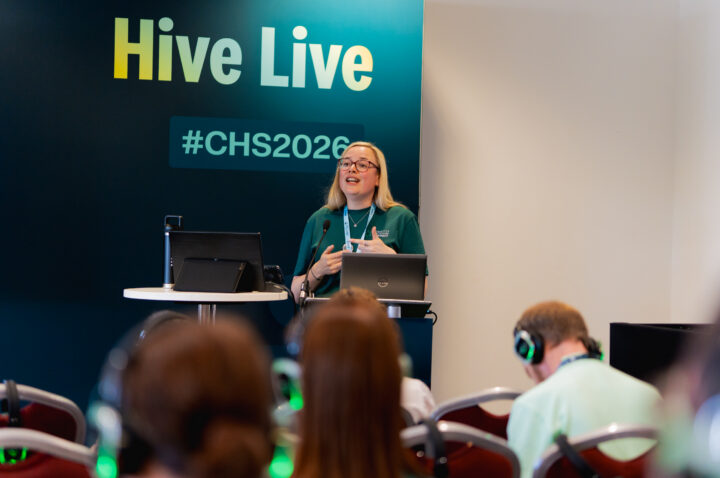
When Boxing Day falls on a Saturday, Agenda for Change creates specific pay provisions that need to be configured in Optima. If you get the setup wrong, staff are paid incorrectly over Christmas. In this session from the Connected Health & Care Summit 2026, Kiri Hargreaves, Senior Manager in Customer Success at RLDatix, walks through the key configuration steps: which public holidays to set up, which settings to enable, how to configure award rules, and the critical decision between Christmas any hours and Christmas majority hours.
Watch Kiri Hargreaves walk through the full Christmas pay configuration in Optima for 2026, with step-by-step video demonstrations of public holiday setup, HRARE settings, award rule configuration and testing guidance.
What the session covers and why 2026 is different
This session provides a complete configuration guide for Christmas pay in Optima when Boxing Day falls on a Saturday. The key points were:
- In 2026, Christmas Day falls on a Friday, Boxing Day falls on Saturday 26 December, and Monday 28 December is the substitute bank holiday. Sunday 27 December is paid as a Sunday
- Under Agenda for Change, if staff work the Friday, Saturday and Monday, only two of those three days can be paid as a public holiday. One must be paid as a Saturday
- Four public holidays must be configured: Christmas Day (25 December), Boxing Day (28 December), optional bank holiday (26 December) and New Year’s Day (1 January 2027)
- The optional bank holiday must be set as Saturday 26 December, not Monday 28 December, or the calculation will not work
- There is no requirement for an optional New Year’s Day public holiday this year
The configuration steps and the critical decisions
Kiri Hargreaves walks through critical steps. First, reviewing and updating public holidays in Reference Data to ensure the four correct dates are set with no duplicates. Second, enabling HRARE (Health Roster Award Rule Engine), which recalculates award rules in real time as duties are assigned across the Christmas period. Third, configuring at least two award rules: a standard bank holiday rule covering Christmas Day, Boxing Day and New Year’s Day, and an optional bank holiday rule covering only the 26 December.
The critical organisational decision is whether to use Christmas any hours or Christmas majority hours as the custom applicability function on the optional award rule. Any hours counts a night shift as two shifts because any part of the duty falling on a day counts it as worked. Majority hours counts only the day where most hours fall, meaning a night shift counts as one. Majority hours does not fully support Agenda for Change and can result in paying more bank holiday than intended.
What this means for rostering teams and who it is relevant to
Kiri Hargreaves is direct about what to take away. If organisations take nothing else from the session, it should be that Boxing Day must be set as 28 December and the optional bank holiday as 26 December. If those are reversed, the calculation breaks.
She also covers temporary staffing. The Exclude bank and agency duties tick box on each award rule determines whether temporary staff are included in the Christmas pay calculation. If an organisation does not want temporary staffing duties in the calculation, this must be ticked on the optional bank holiday award rule only. If a staff member works Friday and Monday substantively and Saturday as bank, and the tick box is set, the Saturday bank shift is still paid as a bank holiday because the optional rule excludes it from the calculation.
Testing in pre-prod is strongly recommended before going live. HRARE should be enabled in live from 1 December onwards. A setup guide and expected test scenarios covering days, nights, any hours and majority hours will be available via the support portal after the summit. Organisations that configured Christmas pay in 2022 will have most settings already in place and will primarily need to enable HRARE and update public holiday dates.
This session is relevant to rostering teams, payroll managers, temporary staffing leads, system administrators and anyone responsible for Optima configuration, Agenda for Change pay compliance or Christmas roster management.
Frequently asked questions
The session is presented by Kiri Hargreaves, Senior Manager in Customer Success at RLDatix. She walks through the full Christmas pay configuration process with live video demonstrations of each step in Optima. The session includes audience Q&A covering timing of HRARE activation, bank pay scales and pre-prod testing.
Boxing Day falls on a Saturday, which means Christmas Day is a Friday and the substitute bank holiday is Monday 28 December. Under Agenda for Change, when staff work all three days, only two can be paid as a public holiday and one must be paid as a Saturday. This requires specific public holiday configuration and an optional bank holiday award rule to handle the calculation correctly.
Four public holidays are required. Christmas Day on 25 December, Boxing Day on 28 December (not 26 December), the optional bank holiday on 26 December, and New Year’s Day on 1 January 2027. The optional bank holiday must be the Saturday, not the Monday. If these are reversed, the calculation will not work. There is no optional New Year’s public holiday required this year.
HRARE stands for Health Roster Award Rule Engine. When enabled, it recalculates award rules in real time as duties are assigned. If a staff member is initially working Friday and Saturday, both are paid as public holidays. When a Monday duty is added, HRARE recalculates so that Friday and Monday are paid as public holidays and Saturday is paid as a Saturday. Without HRARE enabled, the Christmas pay calculation does not work.
Christmas any hours counts a shift as worked if any part of the duty falls on that day, meaning a night shift can count as two shifts. Christmas majority hours counts only the day where most hours are worked, meaning a night shift counts as one. Majority hours does not fully support Agenda for Change and can result in paying more bank holiday than intended because the system assigns the most appropriate award rule to the remaining hours.
HRARE should be enabled in live from 1 December onwards, according to the guidance presented in the session. All configuration should be completed and tested in pre-prod first with HRARE enabled. The public holiday dates, settings and award rules can be set up in live at any time, but HRARE should not be turned on until at least 1 December to avoid impacting live pay calculations before the Christmas period.
The Exclude bank and agency duties tick box on each award rule determines whether temporary staff are included. If ticked, temporary staffing duties are excluded from that award rule. If an organisation does not want temporary staffing in the Christmas pay calculation, this must be ticked on the optional bank holiday award rule only. The decision should be discussed with internal stakeholders and the temporary staffing team.
A setup guide and expected test scenarios covering days, nights, any hours and majority hours will be available via the support portal after the summit. Kir Hargreaves indicated these would be published approximately one week after the event. For additional questions, organisations should reach out to their customer success manager.