

MedicOnDuty: How to use Headcounts and Diary Configuration with Benefits to using Optima
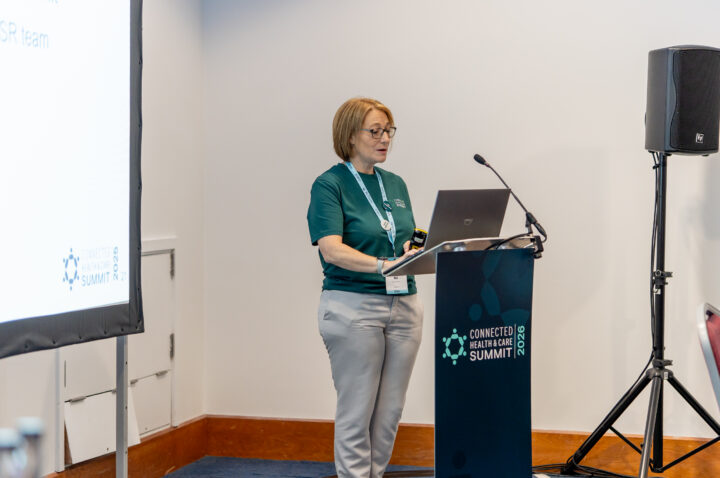
Knowing how many medics are on site at any given hour, whether consultants are delivering their contracted PAs, and whether resident doctors are on track with their shift balance are fundamental to safe staffing and workforce compliance. In this session from the Connected Health & Care Summit 2026, Joel Tempest-Routledge and Lucy Bell from the RLDatix Medics Adoption team walk through two Optima features, headcounts and diary configuration, explaining the setup, the use cases and what the output looks like for both consultants and resident doctors.
Watch the Medics Adoption team walk through how to set up headcounts and diary configuration in Optima, with step-by-step guidance on PA tracking for consultants and shift balance for resident doctors.
What the session covers and what each feature delivers
This session is a practical walkthrough of two Optima features designed for medical workforce management. The key points were:
- Headcounts provide a real-time view of medic coverage per hour, aligned with the roster timeline. They highlight staffing shortages, deliver evidence to support for additional posts and support decisions around locum usage
- The feature is available now at no additional cost and can be switched on in a few of clicks
- Planned functionality for version 12.5 includes unique heads per hour and fractional coverage per hour
- Diary configuration allows PA tracking for consultants and shift balance tracking for resident doctors, with real-time burn-down figures visible on the roster
- Version 12.6 will allow custom time periods for shift balance, replacing the current posting-length default
- Both features are fully customisable by staff group, user profile and role
How to set up headcounts and diary configuration
Lucy Bell demonstrates headcounts first. The feature sits below the vacant duties panel and displays the number of duty assignments active within each hour. Users can click into any figure to see who is working, what shift they are on, and assign staff directly from the drill-down. Settings can be configured per roster type, so they apply automatically. Two display panels are available, with a petition noted for a third.
Joel Tempest-Routledge then walks through diary configuration for two scenarios. For consultants, PA tracking requires contracted PA information against each staff member, either imported from Allocate Job Plan or entered manually. Session periods define the tracking window. For resident doctors, shift balance tracks the number of shifts delivered against a target by shift type or category group. Columns are created, assigned to diary configurations and controlled by user profile so that rota coordinators see both views while other users see only what is relevant.
What this means in practice and who it is relevant to
The PA balance output shows a real-time figure for each consultant: how many PAs remain and what percentage has been fulfilled. This allows medical staffing to track whether consultants are delivering their contracted DCC and SPA activity without leaving the roster screen. The shift balance output shows a burn-down figure for each resident doctor: how many shifts remain against the target for their rotation.
An audience member asked whether AI could automate the shift count input for resident doctors. The team confirmed that Allocate Rota provides a summary count that can be referenced, and that bulk application is available for groups on the same contract, but a direct import does not exist yet. Another audience member asked about sessional contracted staff, and the team confirmed that even session-based activity still counts as a shift assignment within Optima, so headcounts remain accurate.
A workshop is being planned for assisted setup of these features and will be announced shortly. The session closes with a reminder that headcounts are available now at no additional cost.
This session is relevant to medical staffing teams, rota coordinators, workforce managers, clinical leads, eRoster leads and anyone responsible for medics rostering, PA tracking, resident doctor compliance or safe staffing in Optima.
FAQs
The session is presented by Joel Tempest-Routledge and Lucy Bell, both medic specialists in the RLDatix Medics Adoption team. Lucy covers headcounts and Joel covers diary configuration. The session includes audience Q&A with contributions from attendees working on medics rostering in their own organisations.
Headcounts provide a real-time view of the medic workforce per hour, displayed below the vacant duties panel in Optima. Each hour shows the number of duty assignments active within it. Users can drill down to see who is working, which shift they are on, and assign staff directly. The feature can be configured per roster type and is available now at no additional cost. Version 12.5 adds unique heads per hour and fractional coverage.
PA tracking uses diary configuration to show how many programmed activities each consultant has delivered against their contract. Contracted PA information is entered manually, uploaded in bulk or imported from Allocate Job Plan. Session periods define the tracking window. The output shows a real-time balance of remaining PAs and a percentage of fulfilment, visible on the roster screen alongside DCC and SPA columns.
Shift balance tracks the number of shifts each resident doctor has worked against their target for the rotation. Shifts can be grouped by category or tracked individually by type. The output shows a burn-down figure: how many shifts remain and what the target is. Currently this tracks to the length of posting, but version 12.6 will allow custom time periods.
Diary configuration involves three steps. First, create columns that define what to count, such as session period balance for PAs or shift balance for shift counts. Second, assign those columns to a diary configuration view that controls how the roster displays for that staff group. Third, set access control so that only relevant user profiles can see each configuration. Rota coordinators can be given access to both consultant and resident views.
No. Headcounts are available at no additional cost and can be switched on in a couple of clicks. The feature is included in Optima. A workshop is being planned for assisted setup and will be announced shortly for organisations that want guidance on configuring it.
Version 12.5 adds two headcount features: unique heads per hour, which counts the number of distinct people working within each hour regardless of how many assignments they have, and fractional coverage per hour, which calculates headcount based on minutes worked. Version 12.6 adds the ability to set custom time periods for shift balance tracking, replacing the current posting-length default.
Not currently. An audience member raised this as a suggestion. The team confirmed that Allocate Rota provides a summary count that can be referenced, and bulk application is available for groups on the same contract. A direct import does not exist yet, but the suggestion was noted as a potential future development.